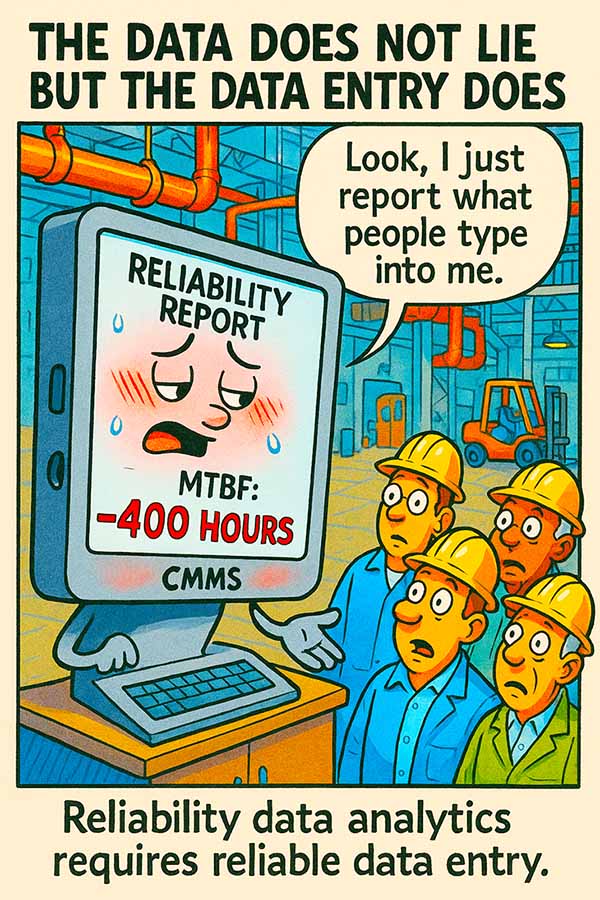

Every reliability metric your plant publishes starts as a keystroke in a CMMS. Mean time between failures, mean time to repair, schedule compliance: all of it traces back to someone typing a work order. Figuring out how to improve CMMS data quality is the single most overlooked step in building a credible maintenance program. And when that data entry goes sideways, the downstream analytics become fiction.
The problem rarely looks dramatic. Nobody wakes up planning to sabotage the maintenance database. It happens one sloppy field at a time: a technician who picks the first failure code from the dropdown instead of scrolling to the right one, a planner who leaves the equipment hierarchy blank because the system lets them, a supervisor who closes work orders in bulk on Friday afternoon without verifying actual completion dates.
Multiply those small shortcuts across a few hundred work orders a month, and the data degrades fast.
Why Bad CMMS Data Goes Unnoticed for So Long
Most plants don’t have a feedback loop between the people entering data and the people consuming reports. The technician filling out work order fields at the end of a shift has no idea those entries feed a Pareto chart reviewed by the VP of operations next quarter. There’s a complete disconnect between input and output.
This gap means errors compound silently. A failure code that’s wrong 20% of the time doesn’t trigger an alarm. It just makes the resulting analysis 20% less useful, and nobody notices until someone tries to build a business case on numbers that don’t hold up.
The gap between data entry and data consumption is where reliability programs quietly fall apart.
By the time leadership questions the numbers, months of bad records have already been baked into the system. Cleaning that up retroactively is expensive and sometimes impossible.
How to Improve CMMS Data Quality at the Source
The fix starts where the data starts: at the point of entry. That means rethinking how work orders are structured, who fills them out, and what the system allows.
Standardize Your Failure Codes
Most CMMS platforms ship with either too many failure codes or too few. Plants that never customize their code lists end up with technicians guessing, picking “other,” or selecting whatever appears first. A good failure coding structure has three tiers: the problem (what happened), the cause (why it happened), and the remedy (what was done about it).
Keep each tier under 15 options. More than that, and selection accuracy drops sharply. One study from a petrochemical facility found that trimming their failure code list from 87 options to 22 improved coding accuracy from 41% to 89% in three months.
- Audit your current failure codes quarterly and merge any that overlap
- Remove codes that account for less than 1% of annual selections
- Train technicians on what each code actually means, with examples from real work orders
Standardization only works if it’s paired with training. Posting a code list on the wall helps, but walking through five real scenarios during a toolbox talk works better.
Fewer choices, clearly defined, consistently taught: that’s the formula for accurate failure coding.
Plants that invest in this step see immediate improvement in their reliability reporting. The Pareto charts start reflecting reality instead of reflecting which code happened to be at the top of the dropdown.
Make Required Fields Actually Required
If your CMMS lets someone close a work order without entering actual labor hours, actual completion date, or failure cause, it will happen. Regularly. The system’s tolerance for empty fields becomes the de facto standard.
Work with your CMMS administrator to enforce mandatory fields at the right workflow stage. A work order shouldn’t close without:
- Actual start and finish times
- Failure code (all three tiers if applicable)
- Parts used (even if the answer is none)
- A brief description of what was found and what was done
Yes, technicians will push back initially. That’s normal. The answer is making the fields fast to fill out (dropdowns, pre-populated defaults, mobile-friendly interfaces), so compliance doesn’t feel like punishment.
Building a Data Quality Feedback Loop to Improve CMMS Data Quality Long-Term
The missing piece in most CMMS data quality efforts is feedback. If nobody ever tells a technician their entries matter or shows them what happens downstream, they’ll keep treating data entry as an afterthought.
Some practical ways to close the loop:
- Post a monthly “data quality scorecard” by crew or area, showing completeness rates and coding accuracy
- When a reliability engineer spots a pattern in the data, trace it back and show the originating crew how their entries drove the finding
- Include data entry accuracy in maintenance supervisor KPIs
These steps take effort. They require someone to own the process, typically a reliability engineer or CMMS administrator. But the payoff is substantial. Clean data means your condition monitoring trends are real, your MTBF calculations are credible, and your capital expenditure requests have evidence behind them.
When technicians see their data entry show up in decisions that affect their work, accuracy goes up on its own.
One food processing plant tracked the before and after. Six months into a structured data quality program, their mean time to repair numbers shifted by 23%, simply because actual labor hours replaced estimated ones. The equipment hadn’t changed. The repairs hadn’t changed. The data finally reflected what was already happening on the floor.
Tackling the Backlog of Bad Historical Data
What about the years of questionable data already in the system? You have two choices: clean it or quarantine it. Cleaning means reviewing historical records and correcting obvious errors (negative time values, impossible dates, blank required fields). Quarantining means flagging a date range as unreliable and starting fresh analysis from a known-good baseline.
For most plants, a hybrid approach works best. Clean the records for your most critical assets (typically the top 20 by consequence of failure), and quarantine the rest. This gives you a reliable dataset for the equipment that matters most while avoiding the paralysis of trying to fix everything at once.
Making CMMS Data Quality a Permanent Priority
Understanding how to improve CMMS data quality requires accepting that it’s a continuous process. Data degrades naturally as people change roles, new technicians come onboard, and work practices evolve. The plants that maintain high-quality data treat it the same way they treat equipment reliability: with regular inspections, preventive action, and accountability.
Assign ownership. Schedule quarterly audits. Keep training fresh. And above all, make sure the people entering the data understand why it matters. That last point is where most programs either succeed or quietly erode.
Your CMMS is only as smart as the data people type into it. Start there, and everything downstream gets better.