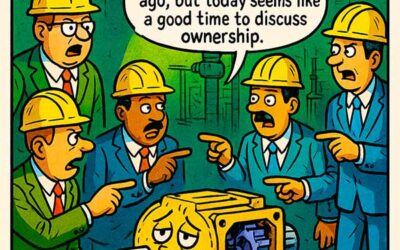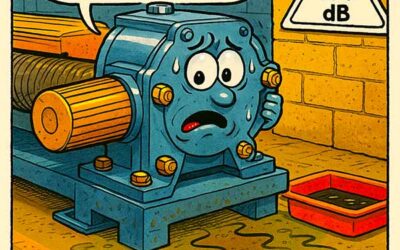


In the digital age of industrial maintenance, where condition monitoring software and AI-powered diagnostics dominate the headlines, it’s easy to overlook the quiet power of a spreadsheet and a sharp eye. Enter the Excel Whisperer—the reliability specialist who sees what others miss, deciphering trends hidden in thousands of cells and rows of operational data.
This post examines how predictive maintenance, utilizing Excel data, remains a practical and underrated method for preventing failures—particularly bearing failures—in plants that lack substantial budgets for advanced technology. When applied with diligence, Excel can serve as a robust early warning system for trending problems. All it takes is structure, discipline, and a bit of intuition.
Excel: The Poor Man’s Condition Monitoring System
Predictive maintenance using Excel data isn’t about having the fanciest tools—it’s about knowing what to look for and building a structure that lets anomalies rise to the surface.
For many facilities, especially smaller or resource-constrained ones, Excel is the most readily available tool. It’s accessible, easy to share, and customizable without needing IT involvement. When set up with defined data fields, conditional formatting, and simple logic formulas, Excel can provide real-time feedback on:
- Vibration levels
- Bearing temperature
- Oil condition readings
- Run time since last service
- Lubrication schedule compliance
One example: if you’re tracking vibration data weekly, a color-coded gradient tied to ISO thresholds can instantly highlight bearings trending toward failure. Add in conditional logic (e.g., =IF(C5>0.3,”Warning”,”OK”)), and you’ve built a lightweight but effective decision-support tool.
From Data Entry to Diagnostic Intuition
What separates a true Excel Whisperer from a data clerk is not the software—it’s the intuition. The technician or engineer who knows their machines, who understands how heat or vibration behaves under different conditions, is capable of looking at a spreadsheet and saying, “Something’s off.”
Predictive maintenance using Excel data is strengthened by human familiarity. Most failure indicators—such as increasing noise levels or escalating temperature curves—begin subtly. Algorithms are good at catching hard thresholds, but human operators detect trends. That’s what this cartoon illustrates: a meditative mechanic who “feels” a problem brewing—not with clairvoyance, but because he knows the story behind the numbers.
This tribal knowledge is often dismissed in the pursuit of digital transformation, but it remains invaluable. When combined with structured Excel sheets—organized by machine, component, and timestamp—it becomes a potent predictive toolkit.
When Spreadsheets Save Downtime
Let’s say you’re monitoring bearing temperatures for a fleet of pumps. Over the course of several weeks, one pump starts trending upward by 2°F per cycle. It hasn’t hit an alarm limit, but you notice it’s diverging from its peers. You investigate and find:
- Misalignment causing axial load
- Reduced grease life from heat
- Accelerated wear on the inner race
If you’re only reacting to alarms, you miss this. If you’re practicing predictive maintenance using Excel data—and reviewing those sheets regularly—you catch it. The repair is done during a planned stop, not during a crisis.
Excel can also help correlate disparate data points. With vibration, lubricant sampling, and runtime hours all tracked on separate tabs or sheets, cross-referencing and visualization help build cause-effect narratives. This enhances root cause analysis and supports failure prevention.
Scaling When It’s Time to Evolve
There’s no shame in starting small. But there is risk in staying small too long.
Predictive maintenance using Excel data has limits:
- Manual data entry increases human error.
- Multiple users create versioning chaos.
- No automated alerts or real-time integration.
- Data visualization is limited compared to Power BI or EAM platforms.
When your plant begins collecting sensor data across dozens of assets, when maintenance teams grow beyond a single planner, or when leadership wants KPI dashboards updated in real time—Excel reaches its edge.
That’s the time to scale to CMMS or EAM software—but bring your spreadsheet logic and structure with you. Many of the same conditional checks, tags, and thresholds can be replicated in modern systems. Your Excel Whisperer just becomes a dashboard ninja.
Final Thoughts: Don’t Underestimate the Spreadsheet
The modern reliability professional needs to balance intuition with data, software with hands-on know-how. Predictive maintenance using Excel data may not be sexy, but it’s effective—especially when used consistently and in tandem with experienced eyes.
We laugh at the meditating technician in front of a spreadsheet, but he represents something real: the deep, human intelligence that recognizes when machines are whispering for help.
Whether you’re running high-end diagnostics or color-coded tables in Excel, the mission is the same: catch the signs before failure strikes.