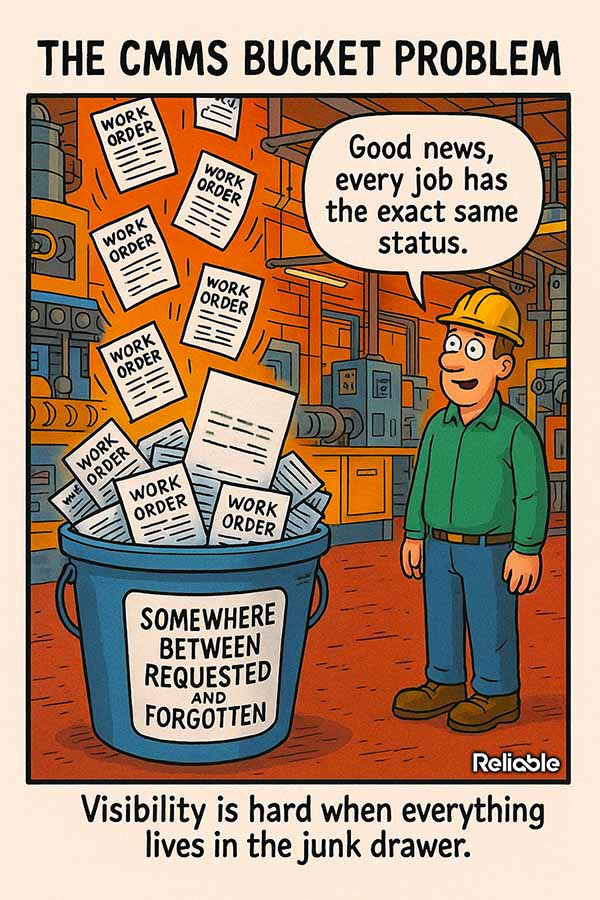

Your maintenance system holds thousands of records, and a lot of them go to waste. That’s the quiet failure behind weak CMMS data management best practices: information gets entered, but nobody can find it, trust it, or act on it when a machine goes down.
The software may be capable enough. The discipline around what gets entered falls apart. Free-text fields fill with shorthand only one technician understands. Asset names drift. Failure codes get skipped because the dropdown sits three clicks too deep.
Why CMMS Data Management Best Practices Start With a Clean Asset Hierarchy
Every record you will ever pull lives under an asset. If the asset tree is a mess, every report built on top of it inherits the mess.
A clean hierarchy follows a logical structure from site down to the maintainable item or component level needed for your program. Pump P-101 belongs to a system, that system belongs to an area, and that area belongs to a plant. When the structure holds, you can roll failure data up or drill it down in seconds.
Bad hierarchies cost you in quiet ways. A failure logged against the wrong parent inflates one asset’s history and starves another’s. The reliability numbers come out skewed, and the capital request you build on them gets picked apart in the budget meeting.
- One naming convention for every asset, documented and enforced at the point of entry
- A consistent hierarchy logic, so nothing floats unattached or gets forced into the wrong level
- Retired equipment archived rather than deleted, so its history survives
- A single owner for the asset register who approves every new entry
Most plants already have a hierarchy. The trouble is that three people built three versions of it over five years. Pick one. Migrate the rest.
A report is only as honest as the asset hierarchy underneath it.
Good maintenance planning depends on this foundation more than almost any other single factor, because a planner can only sequence work that the system records cleanly.
Lock the hierarchy down once it is right. Every new asset should enter through one approval step, so the structure that took months to clean up does not quietly drift again within a year.
Standardize the Data Entry That Feeds Your CMMS
Technicians decide your data quality every time they close a work order. Make the right entry the easy entry, and most of the battle takes care of itself.
Well-built pick-lists beat free text for fields that need to be trended. A failure code chosen from a short, well-built list gives you trend data. The same failure typed forty different ways gives you a search nightmare.
Free text still earns a place for the odd detail a code cannot capture, as long as it supplements the structured fields and the key structured fields stay required.
Failure codes people will actually use
Long code libraries get ignored. Build a focused set that maps to the failures your equipment actually shows, and prune the codes nobody picks.
Tie codes to a simple problem-cause-remedy structure. A pump that lost flow because of a clogged strainer, fixed by cleaning, becomes a searchable pattern instead of a one-off note buried in a comment field.
- Required fields for failure code, downtime, labor hours, and parts used where applicable before a work order can close
- Short pick-lists reviewed every quarter against real usage
- Plain-language descriptions kept as a backup to the coded fields
Make these requirements part of the close-out screen, so the system captures clean data while the details are still fresh in the technician’s head.
The cleanest data in the building comes straight from the field, captured the moment the work is done.
When part numbers stay accurate, your spare parts management gets sharper too, because demand history finally reflects what your equipment really consumes.
That accuracy compounds. A year of clean closeouts tells you which assets bleed labor, which failures repeat, and where a small design change might pay for itself quickly.
The same structured fields make onboarding easier. A new planner can read a year of coded history and understand an asset’s failure pattern in an afternoon, rather than interviewing the one veteran who happens to remember it all.
Turn Clean Records Into Decisions
Data management earns its keep when it changes what you do on Monday morning. Clean records feed the reports that justify budget, headcount, and replacement capital.
Start with a handful of metrics you will review every week. Mean time between failures or repeat failure rate by asset or asset class. The percentage of work orders with complete failure coding. Reactive hours against planned hours.
Share the same numbers with operations and finance. When everyone reads from one clean data set, the conversation shifts from whose spreadsheet is right to what the plant should do next.
Read the trends rather than any single snapshot. One bad week means little. Six weeks of rising reactive hours on the same line means something deserves investigation.
Put the weekly numbers somewhere the whole crew can see them. A simple board near the shop entrance turns abstract metrics into something the team can rally around.
Numbers nobody reviews are just storage costs with extra steps.
A mature data set also feeds your predictive maintenance strategy, because clean failure history improves analysis, prioritization, and some prediction models.
Audit the data on a schedule
Set a recurring data audit, monthly or quarterly, and treat it like a safety inspection. Sample closed work orders. Check that codes match the work described. Flag assets with no history at all, because a machine with zero records may mean the records are landing somewhere else.
Assign the fixes to real people. An audit that produces a list nobody owns just documents the problem in higher resolution.
Tie audit findings to a short feedback loop. When a technician’s entries come back clean three months running, say so. When they slip, coach early, before the habit hardens into the norm.
Building CMMS Data Management Best Practices That Last
The plants that get this right share one trait: they treat data entry as real work, budgeted and trained for, instead of a box checked at the end of a long job.
Name an owner for data quality as deliberately as you assign ownership for safety tasks. Someone has to care when the standard slips, run the audits, and push back when a shortcut starts spreading across the crew.
Train every new technician on the entry standard during onboarding. Show them a clean record and a junk record side by side, and explain what each one costs the team six months later.
Revisit the standard once a year. Equipment changes, failure modes shift, and a pick-list that fit the plant in 2024 may need pruning by 2026.
Keep the standard short enough to remember. A one-page entry guide that technicians actually read beats a forty-page manual that lives forgotten in a drawer.
Clean data helps point you to the machine to fix first, explains why it keeps breaking, and shows what waiting may cost. That payoff is the whole reason strong CMMS data management best practices are worth the discipline they take to build.