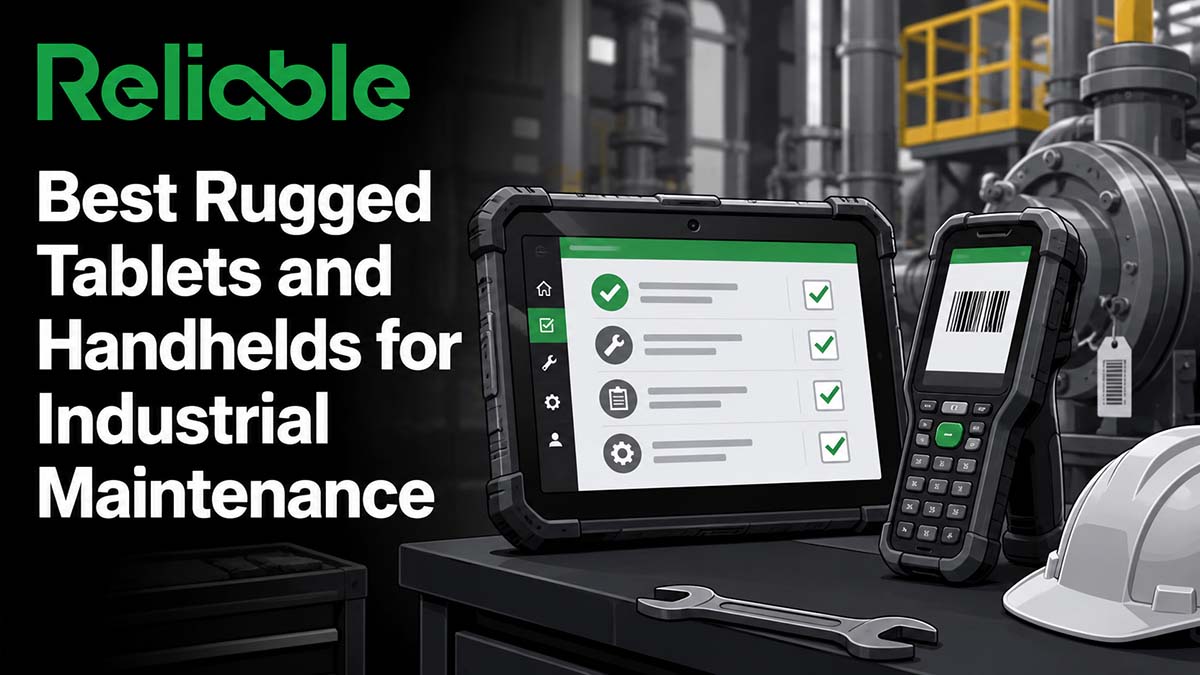

The short version: Choosing a rugged device for a maintenance and reliability team is a fit decision, not a horse race. The right device depends on where the work happens and what the technician does with it.
For teams that scan assets and parts and want a choice of Android or Windows, the Zebra ET60/ET65 is the most versatile starting point. For engineering-heavy work tied to Windows applications like SCADA or CAD, the Panasonic Toughbook G2 is a reference fully-rugged tablet. For bright outdoor readability and vehicle mounting, the Getac F110 and F120 lead. Durabook offers a lower-cost fully-rugged alternative. The Samsung Galaxy Tab Active5 is the value option for large, cost-sensitive rollouts. For storeroom and inventory work, a Honeywell handheld mobile computer is a better tool than a tablet.
If any of the work happens in a classified hazardous area, the rule changes entirely: you may use only equipment approved for that exact classification. For Division 2 or Zone 2 areas, several mainstream tablets offer certified variants. For the most hazardous Division 1 or Zone 1 areas, you need a device approved for that classification, typically an intrinsically safe tablet such as the Ecom Tab-Ex 05 DZ1. That hazardous-area distinction is the one most general reviews miss.
How We Evaluated
This guide is independent editorial analysis based on publicly available product documentation, vendor specification sheets, published certification records, and hands-on familiarity with how these devices are used in plants. Reliable Magazine does not sell hardware and has no commercial interest in routing buyers toward any particular device or vendor. Reliable does not accept payment for rankings. Vendors may sponsor enhanced listings with additional detail, but editorial rankings are independent. Read our editorial policy.
Most published rugged-tablet reviews are written for warehouse, logistics, public safety, or general field-service buyers. A maintenance and reliability buyer has a different set of priorities, so we evaluated each device against the criteria that actually matter on a plant floor:
- Hazardous-area suitability. Whether the device is approved for the specific classified area where the work happens (this is the single most consequential criterion for process industries).
- Data capture. Barcode and RFID scanning for asset identification, parts lookup, and work order execution.
- CMMS and EAM compatibility. How well the device runs your maintenance software, which comes down largely to operating system.
- Glove and wet-finger operation. Whether the touchscreen works with gloves on and in wet or oily conditions.
- Sunlight readability. Display brightness for outdoor yards, rooftops, tank farms, and pipe racks.
- Environmental tolerance, honestly matched. Drop, vibration, dust, water, and temperature ratings sized to the real environment rather than to a spec-sheet arms race.
- Battery strategy and total cost of ownership. Full-shift battery life, hot-swap capability, and the real cost of deploying and managing a fleet.
A Short Primer on the Standards That Matter
Three standards do most of the work in this category, and understanding them prevents expensive mistakes.
IP rating (Ingress Protection), defined in IEC 60529. The two digits after “IP” describe sealing. The first digit is protection against solids and dust, where 6 means fully dust-tight. The second digit is protection against water, where 5 means water jets, 6 means powerful jets, 7 means temporary immersion to one meter, and 8 means immersion beyond the IP67 condition. One nuance matters: IP68 is defined by the manufacturer rather than by a single fixed depth, so an IP68 claim should be read alongside the specific depth and duration the vendor states. Samsung, for example, rates the Galaxy Tab Active5 for fresh water to about 1.5 meters for 30 minutes. For maintenance work, the water digit matters most in washdown environments and outdoor exposure.
MIL-STD-810 (currently revision H, Change 1). This is a United States military standard that defines test methods for environmental stress: drops, shock, vibration, temperature extremes, humidity, altitude, and more. It is worth understanding one thing clearly. MIL-STD-810 is a set of test methods, not a pass or fail certification with a governing body. Vendors choose which methods they test to and self-declare the results. Two devices can both claim “MIL-STD-810H” and have been tested very differently. Ask any vendor for the specific methods, thresholds, drop heights, drop surfaces, vibration profiles, and the actual test reports.
Hazardous-area certification. In areas where flammable gases, vapors, or combustible dust can be present, ordinary electronics can provide an ignition source. Two frameworks apply. In North America, the Class and Division system is common: Class I covers flammable gases, Division 1 means the hazard is present during normal operation, and Division 2 means it is present only under abnormal conditions such as a leak or equipment failure. Internationally, the Zone system is used: Zone 0, 1, and 2 for gases and Zone 20, 21, and 22 for dust, certified under ATEX in Europe and IECEx globally.
The rule that governs device selection is strict, and it is a safety and compliance requirement rather than a preference. Under OSHA 29 CFR 1910.307 and the National Electrical Code, equipment used in a classified location must be intrinsically safe, approved for the location, or otherwise safe for that specific classification, meaning the specific Class, Division or Zone, gas or dust Group, and temperature code. Two practical consequences follow. First, an uncertified consumer or standard rugged device is never permitted in any classified area. Second, “certified for hazardous areas” is not a single thing. A device approved for Division 2 or Zone 2 is not automatically approved for Division 1 or Zone 1. Match the device approval to the exact area classification, and confirm that it covers the specific configuration you buy, including battery, dock, and accessories.
The Best Rugged Devices for Industrial Maintenance
1. Zebra ET60/ET65: Best Overall for Scan-and-Tablet Maintenance Work
The Zebra ET60 (Wi-Fi) and ET65 (Wi-Fi and cellular) are 10.1-inch rugged tablets that come in nearly identical Android and Windows variants, which is a genuine advantage for maintenance teams that have not committed to one operating system. They carry IP66 sealing and are tested to MIL-STD-810H, with a 1000-nit display readable in most indoor and many outdoor conditions, and a touchscreen that accepts bare or lightly gloved fingers. Zebra’s heritage is data capture, and it shows: the optional SE55 scan engine handles barcodes at a range and speed that outperforms most tablet-integrated scanners, which matters for storeroom lookups and asset tagging. A heated vehicle dock keeps the screen condensation-free in freezers and cold outdoor work. Zebra also commits to four years of availability plus four years of extended support, which reduces the pain of mixed-model fleets over time.
For classified areas, Zebra lists hazardous-location certified configurations of the ET6x family, including Class I Division 2. As with any hazardous-area device, the certification applies to a specific configuration, so verify the exact SKU, battery, and accessories against your area classification before ordering. For teams that need a pocketable pure-scanning device rather than a tablet, Zebra’s TC-series handheld mobile computers share much of the same software and management ecosystem, so a mixed fleet of ET6x tablets and TC handhelds is straightforward to manage.
Best for: Maintenance teams that want one versatile platform for work orders and asset scanning, and that value the option to choose Android or Windows.
Pricing: Budgetary estimate as of July 2026, commonly in the range of roughly $1,500 to $3,000 per unit depending on configuration. Verify SKU-level pricing with an authorized reseller.
2. Panasonic Toughbook G2: Best Fully-Rugged Windows Tablet for Engineering Work
The Panasonic Toughbook G2 is a reference point for fully-rugged Windows tablets. It is a 10.1-inch modular 2-in-1 with IP65 sealing, and its expansion areas allow it to be configured many different ways, including with an integrated barcode reader, additional I/O, or a detachable keyboard that turns it into a laptop. Current models run Intel Core Ultra processors with long battery life, and the G2 keeps backward compatibility with older docks, which protects existing vehicle-mount and mounting investments across technology refreshes.
For maintenance and reliability work, the G2’s strongest case is Windows itself. If your technicians need to run full desktop applications, connect to SCADA or historian systems, use engineering tools, or access legacy Windows software that has no mobile app, a fully-rugged Windows tablet like the G2 is a natural fit. Panasonic also offers an optional Class I Division 2 (Groups A, B, C, D) configuration of the G2 for Division 2 classified areas; confirm the exact certified configuration with Panasonic before ordering. The trade-offs are weight and cost: fully-rugged Windows tablets are heavier and more expensive than semi-rugged Android tablets, particularly once docks, keyboards, and cellular modules are added.
Best for: Engineering-heavy maintenance work that depends on full Windows applications, SCADA and historian access, or legacy desktop software.
Pricing: Budgetary estimate as of July 2026, commonly in the range of roughly $2,500 to $5,000 and up per unit configured. Verify SKU-level pricing with an authorized reseller.
3. Getac F110 and F120: Best Fully-Rugged Tablet for Outdoor Visibility and Vehicle Mounting
Getac’s F110 is a long-standing 11.6-inch fully-rugged Windows tablet known for a bright, sunlight-readable display, a dual-battery design that supports full shifts, and a strong vehicle-dock ecosystem. The newer F120 extends the line with a larger current-generation fully-rugged tablet for buyers who want Getac’s latest platform. For maintenance work outdoors in bright light, on rooftops, in yards, at tank farms, or mounted in vehicles and mobile equipment, Getac’s display quality and mounting options are a practical advantage. Getac typically competes with Panasonic on ruggedness while positioning on value and outdoor readability.
Getac gives you two hazardous-area routes, and the distinction matters. The F110 and F120 offer optional Class I Division 2 configurations (to ANSI/UL 121201 and CSA C22.2 No. 213, Groups A, B, C, D) for Division 2 classified areas in North America. For the ATEX and IECEx Zone 2/22 path, Getac maintains a dedicated EX lineup, including the F110-EX built for maintenance, inspection, and field service, along with EX variants of other models such as the ZX10-EX, UX10-EX, and K120-EX. Whichever route applies to your site, verify the exact SKU, hazardous-area marking, battery, dock, and accessories against your classification before ordering.
Best for: Outdoor and vehicle-mounted maintenance work where display brightness and docking ecosystem are priorities, with both Class I Division 2 and ATEX/IECEx Zone 2/22 options available.
Pricing: Budgetary estimate as of July 2026, commonly in the range of roughly $2,500 to $4,500 per unit for standard models. Hazardous-area configurations carry a premium. Verify SKU-level pricing with an authorized reseller.
4. Durabook R11: Best Value Fully-Rugged Tablet
Durabook occupies the value position among fully-rugged tablets. The R11 is an 11.6-inch fully-rugged Windows tablet that competes with Panasonic and Getac on core ruggedness and outdoor readability, generally at a lower price point, with IP66 sealing and a reasonable accessory and docking ecosystem. For maintenance teams that need genuine fully-rugged Windows capability but cannot justify Panasonic or Getac pricing across a large fleet, Durabook is worth evaluating, and it offers an optional Class I Division 2 configuration (to ANSI/UL 121201) for Division 2 classified areas. The considerations are the smaller support and reseller footprint relative to the two category leaders, and a smaller accessory catalog, so confirm that the docks, mounts, modules, and any hazardous-area certification you need are available for the exact model before committing.
Best for: Teams that need fully-rugged Windows capability at a lower unit cost than the category leaders.
Pricing: Budgetary estimate as of July 2026, commonly lower than Panasonic and Getac at comparable specification. Verify SKU-level pricing with an authorized reseller.
5. Samsung Galaxy Tab Active5 and Active5 Pro: Best Semi-Rugged Android Tablet for Scale
The Samsung Galaxy Tab Active5 is a semi-rugged Android tablet that carries IP68 sealing and MIL-STD-810H testing, a user-replaceable battery, a touchscreen tuned for glove and wet-finger use, and Samsung Knox security and management. The Active5 Pro is the larger, higher-specification sibling with backward-compatible accessories. Two things make it attractive for maintenance fleets. First, the operating system is familiar Android, so training overhead is low and most modern CMMS mobile apps run natively. Second, the cost is far below fully-rugged tablets, which changes the math for large deployments and for a replacement-on-failure strategy rather than a repair strategy. Samsung Knox Capture turns the built-in camera into a workable barcode scanner for lighter scanning needs.
The honest limitation is impact protection. Semi-rugged means it survives realistic drops and job-site abuse, but it does not match a fully-rugged Panasonic, Getac, or Durabook for the harshest environments or continuous heavy vibration. It also is not hazardous-area certified in its standard form. Notably, the intrinsically safe Ecom Tab-Ex 05 covered below is built on this same Galaxy Tab Active5 platform, so teams that like the Samsung experience can carry it into classified areas by moving to the certified Tab-Ex version. For many indoor maintenance and facilities teams working outside classified areas, the standard Active5 is entirely adequate and the cost savings are substantial.
Best for: Large, cost-sensitive deployments and teams that want a familiar Android experience with native CMMS apps, in unclassified areas.
Pricing: Budgetary estimate as of July 2026, commonly in the range of roughly $500 to $900 per unit. Verify SKU-level pricing with an authorized reseller.
6. Honeywell CT47 and EDA52: Best Handheld for Storeroom and Inventory Work
When the primary task is scanning rather than viewing schematics or filling out detailed forms, a handheld mobile computer is the right tool, and a tablet is the wrong one. Honeywell’s CT47 is a current pocketable Android handheld built on the Mobility Edge platform, with a dedicated high-performance scan engine, IP65 and IP68 sealing, drop protection tested to about eight feet, and long-lifecycle enterprise management. Mobility Edge lets a fleet share a common software and accessory base across device generations, which reduces requalification effort at refresh time. Honeywell also offers a hazardous-area (NI and ATEX) variant of the CT47 for classified areas, so confirm the certified configuration if you need one. For storeroom operations, cycle counts, parts issue and receipt, and asset audits, the ergonomics of a one-handed device with a purpose-built scanner and a physical trigger beat any tablet.
For teams that want a lower-cost handheld, the Honeywell EDA52 is a value ScanPal-line device with solid 1D and 2D scanning, though it sits outside the Mobility Edge platform. Zebra’s TC-series handhelds are the direct competitor to the CT47 and an equally valid choice, particularly for shops already standardized on Zebra.
Best for: Storeroom, MRO inventory, and scan-intensive work where a one-handed device with a dedicated scanner outperforms a tablet.
Pricing: Budgetary estimate as of July 2026, commonly in the range of roughly $1,000 to $2,500 per unit depending on model and configuration. Verify SKU-level pricing with an authorized reseller.
7. Ecom Tab-Ex 05 (by Pepperl+Fuchs): Best Intrinsically Safe Tablet for the Most Hazardous Areas
For maintenance work inside the most hazardous classified areas, Division 1 or Zone 1, where a flammable atmosphere can be present during normal operation, mainstream rugged tablets generally do not qualify, and the practical path for a portable device is an intrinsically safe tablet. The Ecom Tab-Ex line, from Pepperl+Fuchs brand Ecom, is a widely deployed intrinsically safe tablet family built on the Samsung Galaxy Tab Active5 platform, so it runs standard Android with a glove-compatible touchscreen and Samsung Knox, while the hardware is engineered so it cannot ignite the surrounding atmosphere. The suffix on the model is critical because it encodes the certification. The Tab-Ex 05 DZ1 is the ATEX and IECEx Zone 1/21 plus Division 1 model. The Tab-Ex 05 DZ2 covers Zone 2/22 plus Division 2, and the Tab-Ex 05 D2 covers Division 2 only. For a Zone 1 or Division 1 area, the DZ1 is the one that qualifies.
Two alternatives are worth knowing. i.safe MOBILE offers intrinsically safe tablets and phones, including compact 8-inch Zone 1 units that are easy to handle one-handed. Aegex offers a Windows-based Zone 1 intrinsically safe tablet, currently the Aegex 100M, for teams that specifically need Windows in a classified area; confirm current availability directly with the vendor. Across all of these, the essential step is matching the approval to your exact area classification and configuration.
Best for: Oil and gas, chemical, petrochemical, and other operations where technicians enter Division 1 or Zone 1 classified areas.
Pricing: Budgetary estimate as of July 2026, intrinsically safe tablets commonly run from roughly the equivalent of $2,600 to $5,000 per unit depending on zone certification and operating system. Verify current pricing and the exact certified configuration with the vendor.
Rugged Device Comparison Table
| Device | Form Factor | OS | Best For | Sealing | Hazardous-Area Options |
|---|---|---|---|---|---|
| Zebra ET60/ET65 | Tablet | Android or Windows | Scan-and-tablet work, OS choice | IP66 | Class I Division 2 on specific configurations; verify SKU |
| Panasonic Toughbook G2 | Tablet / 2-in-1 | Windows | Engineering and legacy Windows apps | IP65 | Optional Class I Division 2 (Groups A-D); verify configuration |
| Getac F110 / F120 | Tablet | Windows | Outdoor readability, vehicle mounting | IP66 | Optional Class I Division 2 (N. America); EX models are ATEX/IECEx Zone 2/22 |
| Durabook R11 | Tablet | Windows | Value fully-rugged | IP66 | Optional Class I Division 2 (ANSI/UL 121201); verify model |
| Samsung Galaxy Tab Active5 | Tablet | Android | Cost-sensitive scale deployments | IP68 | Not certified; see Ecom Tab-Ex for a certified build on this platform |
| Honeywell CT47 / EDA52 | Handheld | Android | Storeroom and inventory scanning | CT47 IP65/IP68; EDA52 IP67 | CT47 offers a hazardous-area (NI/ATEX) variant; verify configuration |
| Ecom Tab-Ex 05 DZ1 | Tablet | Android | Division 1 / Zone 1 classified areas | IP68 | ATEX/IECEx Zone 1/21 and Division 1 |
How to Choose the Right Device
Four questions settle most decisions.
1. Do your technicians enter classified hazardous areas, and at what classification?
Answer this first, because it overrides everything else. If any part of the work happens in a classified area, you need a device approved for that exact classification, meaning the specific Class, Division or Zone, Group, and temperature code. Two levels matter in practice. Division 2 or Zone 2 areas, where a hazard is present only under abnormal conditions, can be served by certified variants of several mainstream rugged tablets, such as the Class I Division 2 configurations of the Getac F110 and F120, Zebra, Panasonic, or Durabook tablets, or the Getac EX models for ATEX and IECEx Zone 2. Division 1 or Zone 1 areas, where a hazard can be present during normal operation, call for a device approved for that classification, which for a portable tablet is typically an intrinsically safe model such as the Ecom Tab-Ex 05 DZ1. An uncertified device is never allowed in any classified area. If your work is entirely in unclassified areas, you have the full range of standard rugged devices to choose from.
2. What operating system does your maintenance software need?
Most modern CMMS and EAM platforms ship native Android and iOS apps, and many maintenance teams run their work order workflow on Android tablets and phones without friction. A fully-rugged Windows tablet typically runs the browser-based version of your CMMS rather than a native mobile app, which is fine for many workflows. The Windows question really turns on whether technicians also need full desktop applications: SCADA and historian clients, engineering and CAD tools, drawing management, or legacy software with no mobile version. If they do, Windows earns its place. If the job is work orders, PMs, and scanning, Android is lighter and cheaper.
3. Tablet or handheld?
Match the form factor to the dominant task. If technicians spend their time viewing schematics and manuals, filling out detailed inspection forms, or referencing large documents, a tablet earns its screen. If they spend their time scanning parts and assets, counting inventory, and issuing and receiving from a storeroom, a handheld mobile computer with a dedicated scanner and a physical trigger is faster and less fatiguing. Many operations run both.
4. How harsh is the environment, honestly?
Match the sealing and durability rating to the actual conditions rather than to the worst case you can imagine. Indoor facilities and light plant-floor work are well served by a semi-rugged Android tablet at a fraction of the cost. Washdown areas, heavy vibration, extreme temperatures, and continuous outdoor exposure justify a fully-rugged device. Ask each vendor which specific MIL-STD-810 methods and thresholds they tested, request the test reports, and check that the IP rating covers your real exposure, especially water.
The Honest Middle Ground
Two mistakes are common in this category, and they pull in opposite directions.
The first is over-buying ruggedness. Fully-rugged Windows tablets are impressive machines, and it is easy to specify one for an entire team when much of the work happens indoors on a benign plant floor. For those users, a semi-rugged Android tablet often does the same job at a quarter of the cost, and the savings across a fleet are large enough to fund other reliability initiatives. Buy the rugged device where the environment demands it, and the lighter device where it does not.
The second mistake is more serious, and it runs the other way. Teams sometimes try to save money or standardize on a single device by putting an uncertified tablet into a classified hazardous area. This is a safety violation. Hazardous-area approval exists because ordinary electronics can ignite a flammable atmosphere, and no cost saving or standardization goal justifies that risk. The correct discipline is precise: identify the classification of every area where technicians work, then select a device approved for that exact classification, using a Division 2 or Zone 2 certified variant where that is the classification and a Division 1 or Zone 1 approved device, typically an intrinsically safe tablet, where the hazard is more severe.
The right approach is honest segmentation. Map where the work actually happens and what technicians actually do, then match the device to each real use case. A maintenance organization of any size will often end up with a mix: fully-rugged tablets for the harshest unclassified jobs, semi-rugged Android tablets for general indoor work, handhelds for the storeroom, certified variants for Zone 2 or Division 2 areas, and intrinsically safe devices for Zone 1 or Division 1 areas. Buying one device for everyone is simpler on paper and usually wrong in practice.
Frequently Asked Questions
What is the best rugged tablet for industrial maintenance?
There is no single best device, because the right choice depends on the work environment and the task. For a versatile all-rounder that can scan assets and lets you choose Android or Windows, the Zebra ET60/ET65 is a strong starting point. For engineering-heavy work that depends on full Windows applications, the Panasonic Toughbook G2 is a reference fully-rugged Windows tablet. For bright outdoor readability and vehicle mounting, the Getac F110 and F120 lead. For cost-sensitive large deployments, the Samsung Galaxy Tab Active5 is the value option. And for classified hazardous areas, you need a device approved for that exact classification, up to an intrinsically safe Ecom Tab-Ex 05 DZ1 for Division 1 or Zone 1.
Do maintenance technicians need an intrinsically safe tablet?
It depends on the classification of the area. For the most hazardous classified areas, Division 1 or Zone 1, where a flammable atmosphere can be present during normal operation, the practical choice for a portable device is an intrinsically safe tablet, common in oil and gas, chemical, and petrochemical operations. For Division 2 or Zone 2 areas, where a hazard is present only under abnormal conditions, certified variants of several mainstream rugged tablets qualify, such as the Class I Division 2 configurations of the Getac F110 and F120 or comparable options from Zebra, Panasonic, and Durabook. In all cases the device must be approved for the exact classification, and an uncertified device is never permitted in any classified area. If technicians work only in unclassified areas, a standard rugged tablet is appropriate.
What is the difference between IP65, IP66, and IP68 ratings?
IP ratings, defined in IEC 60529, describe how well a device is sealed against solids and liquids. The first digit covers solids and dust, where 6 means fully dust-tight, so all three of these ratings are dust-tight. The second digit covers water. A 5 means the device withstands water jets, a 6 means it withstands powerful water jets, and an 8 means it withstands immersion beyond the one-meter IP67 condition. One detail matters: IP68 is defined by the manufacturer rather than by a single fixed depth, so an IP68 claim should be read together with the depth and time the vendor specifies. For maintenance work, the water digit matters most in washdown environments and outdoor exposure.
Should I choose a Windows or Android rugged tablet for maintenance?
It depends on your software. Most modern CMMS and EAM platforms offer native Android apps, so if your workflow is work orders, preventive maintenance, and scanning, an Android tablet is lighter, cheaper, and fully capable. Choose Windows when technicians also need full desktop applications that have no mobile version, such as SCADA and historian clients, engineering and CAD software, or legacy Windows programs. A fully-rugged Windows tablet typically runs the browser-based version of a CMMS rather than a native app, which is acceptable for many teams but worth confirming against your specific platform.
What does MIL-STD-810H certification actually mean?
MIL-STD-810H is a United States military standard that defines test methods for environmental stresses such as drops, shock, vibration, temperature extremes, humidity, and altitude. It is important to understand that it is a collection of test methods rather than a single pass-or-fail certification governed by an independent body. Manufacturers choose which methods they test to and self-declare the results, so two devices that both claim MIL-STD-810H may have been tested very differently. Before buying, ask the vendor for the specific methods and thresholds tested, including drop height, drop surface, and vibration profile, and request the underlying test reports.
How much do rugged tablets for industrial maintenance cost?
Pricing varies widely by configuration, so treat any figure as a budgetary estimate to confirm with a reseller. As of July 2026, semi-rugged Android tablets such as the Samsung Galaxy Tab Active5 commonly run from roughly $500 to $900 per unit. Rugged business tablets such as the Zebra ET60/ET65 commonly run from roughly $1,500 to $3,000. Fully-rugged Windows tablets from Panasonic, Getac, and Durabook commonly run from roughly $2,500 to $5,000 and up once docks, keyboards, scanners, and cellular are added. Intrinsically safe and certified hazardous-area tablets are typically in a similar range to fully-rugged tablets or higher. Handheld mobile computers commonly run from roughly $1,000 to $2,500.
Related Guides
- Best CMMS Software: Independent Comparison
- Best EAM Software: Independent Comparison
- Best Asset Performance Management (APM) Software
- Best Industrial IoT Platforms
Sources
Product documentation:
- Zebra ET60/ET65 rugged tablets
- Panasonic Toughbook G2
- Getac F110 (optional Class I Division 2) and Getac intrinsically safe and hazardous-area tablets
- Durabook R11
- Samsung Galaxy Tab Active5 and Active5 Pro
- Honeywell CT47 handheld computer and Honeywell ScanPal handheld product documentation
- Ecom Tab-Ex 05 DZ1, DZ2, and D2 product documentation, by Pepperl+Fuchs (ecom-ex.com)
- i.safe MOBILE IS930.1 product documentation (isafe-mobile.com)
- Aegex 100M
Standards and regulations:
- OSHA 29 CFR 1910.307, hazardous (classified) locations
- MIL-STD-810H, US Department of Defense environmental test method standard
- IEC 60529 (Ingress Protection ratings), IEC 60079 series, and the ATEX Directive 2014/34/EU and IECEx frameworks for equipment in explosive atmospheres
This guide is editorial analysis by Reliable Magazine. No vendor paid for ranking consideration or editorial input.