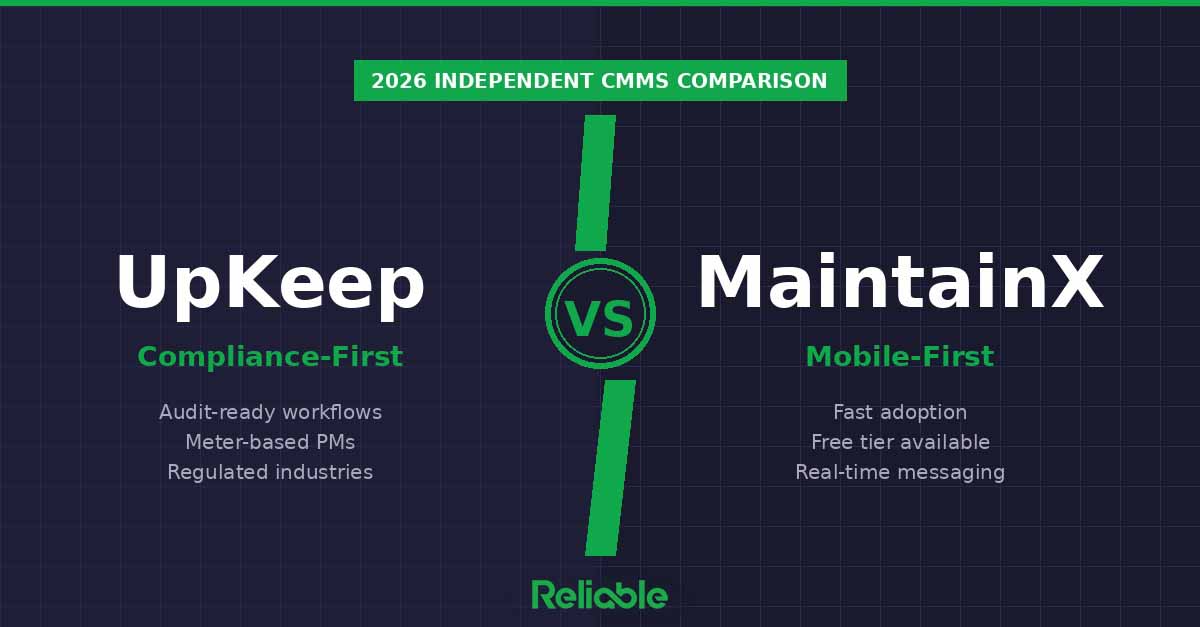

TL;DR: UpKeep and MaintainX are both strong CMMS platforms, and they target subtly different buyers. UpKeep wins for manufacturing and regulated industries that need audit-ready compliance, meter-based PMs, and detailed documentation. MaintainX wins for mobile-first teams that need fast adoption, a free tier to get started, and real-time communication between shifts. Both publish transparent pricing and both start their paid plans at $20 per user per month. Choose UpKeep if compliance and audit trails are central. Choose MaintainX if shop-floor adoption speed is.
How We Compared UpKeep and MaintainX
This comparison is independent editorial analysis based on publicly available product documentation, verified customer reviews across G2 and Capterra, and hands-on product demos. Reliable Magazine does not accept payment from either vendor for ranking consideration, and neither UpKeep nor MaintainX sponsored this article. Our goal is to help maintenance and reliability professionals choose the right platform – not to push the one that pays us the most.
We evaluated both platforms across six criteria that matter most for industrial maintenance teams:
- Compliance and audit-readiness – checklists, safety procedures, and documentation that hold up in regulated environments
- Mobile usability – how well the app performs for technicians on the floor
- Work order management – the core loop of creating, assigning, and completing jobs
- Preventive maintenance features – PM scheduling, meter-based triggers, and recurring work
- Pricing and transparency – published rates, free tiers, and total cost of ownership
- Implementation and time-to-value – onboarding speed, configuration depth, and ongoing support
Reliable does not accept payment for rankings. Vendors may sponsor enhanced listings with additional detail, but editorial rankings are independent. Read our editorial policy.
UpKeep at a Glance
UpKeep was founded in 2014 and has built its reputation in manufacturing and regulated industries where audit readiness, safety compliance, and documentation discipline matter. The work order system is built around detailed checklists, safety procedures, and document attachments. Meter-based PM triggers are native, which is essential for production equipment tracked by run-hours rather than calendar dates. Reporting is strong for compliance-driven KPIs like PM compliance rates, certification tracking, and audit-trail documentation.
UpKeep’s mobile app is functional and solid, though most independent reviews rank its technician experience slightly below MaintainX. The desktop interface is the platform’s strongest surface, which fits a buyer profile where planners, compliance managers, and reliability engineers drive the system.
Pricing: $20/user/month (Essential), $55/user/month (Premium), scales to Professional and Enterprise tiers.
Best for: Manufacturing plants with audit requirements, regulated industries (pharma, food and beverage, medical device), teams that need meter-based PMs on production equipment, compliance-driven maintenance operations.
MaintainX at a Glance
MaintainX was founded in 2018 and designed mobile-first from the start. Its core strength is the app experience: technicians pick up work orders, communicate with planners in real time, capture photos and notes, and close out jobs without leaving the shop floor. The interface is simple enough that teams moving off spreadsheets or paper can be productive within days, not months.
The free Basic tier is genuinely useful for digitizing work orders without commitment, and the Essential plan at $20 per user per month is one of the most transparent entry points in the market. MaintainX has expanded into mid-market and enterprise deployments, adding compliance features, asset management depth, and integrations — but its DNA remains fast adoption and shop-floor execution.
Pricing: Free (Basic), $20/user/month (Essential), $65/user/month (Premium), scales to enterprise tiers.
Best for: Mobile-first maintenance teams, fast-growing operations, teams moving off spreadsheets, multi-shift environments where real-time communication matters, small teams that want to start free and scale up.
Head-to-Head: UpKeep vs MaintainX
Compliance and Audit Readiness
Winner: UpKeep. UpKeep’s feature set is oriented toward compliance from the ground up. Detailed safety checklists, document attachments on work orders, certification tracking, and audit-ready reporting are native rather than add-ons. For plants subject to FDA, FSMA, OSHA, or ISO audits, UpKeep’s documentation discipline is a genuine advantage. MaintainX has compliance features and they have improved significantly, but UpKeep remains the stronger out-of-the-box choice for regulated environments.
Mobile Experience
Winner: MaintainX. The mobile app is consistently rated higher for technician usability, offline functionality, and real-time messaging. Work order completion, photo capture, and in-app communication feel native. UpKeep’s mobile app works well but is rated slightly less intuitive in independent reviews. For teams where 80% of work happens away from a desk, MaintainX has a meaningful edge.
Work Order Management
Draw. Both platforms handle the core work order loop well – creation, assignment, completion, and history. UpKeep emphasizes checklists and documentation inside the work order. MaintainX emphasizes communication and fast completion. Neither has a clear functional advantage; the difference is philosophical. Teams that want work orders to be audit artifacts lean UpKeep. Teams that want work orders to be communication tools lean MaintainX.
Preventive Maintenance Features
Winner: UpKeep, narrowly. Meter-based PM triggers are native in UpKeep and well-developed, which matters for production equipment where maintenance should be tied to run-hours, cycles, or throughput rather than the calendar. MaintainX supports meter-based PMs but the implementation is slightly less mature. For calendar-based PM scheduling, both platforms are equivalent.
Pricing and Transparency
Winner: MaintainX, narrowly. Both publish transparent pricing, and both start paid plans at $20 per user per month. MaintainX has a free Basic tier that UpKeep does not match, which lets small teams start at zero cost. MaintainX Premium is $65 per user per month versus UpKeep Premium at $55 per user per month – a slight edge to UpKeep at that tier. Overall MaintainX wins on transparency because of the free entry point, but the difference is small and depends on which tier you actually need.
Implementation and Time-to-Value
Winner: MaintainX. Most MaintainX deployments are productive within two to four weeks. UpKeep implementations typically take four to eight weeks because the platform supports deeper configuration around compliance, documentation, and asset management. This is not a flaw in UpKeep – it reflects the depth of the functionality. But if fast adoption is the top priority, MaintainX gets you there quicker.
Feature Comparison Table
| Capability | UpKeep | MaintainX |
|---|---|---|
| Free tier | No | Yes (Basic) |
| Entry-level paid plan | $20/user/mo (Essential) | $20/user/mo (Essential) |
| Premium tier | $55/user/mo (Premium) | $65/user/mo (Premium) |
| Compliance and audit features | Strong, native, audit-ready | Good, improving |
| Mobile app | Functional, solid | Best-in-class, mobile-first |
| Meter-based PMs | Native, mature | Supported, less mature |
| Real-time messaging | Available | Built-in, native |
| Time-to-value | 4–8 weeks typical | 2–4 weeks typical |
| Best for | Regulated manufacturing, compliance | Mobile-first teams, fast adoption |
Which One Should You Choose?
Choose UpKeep if:
- You operate in a regulated industry – pharma, food and beverage, medical device, aerospace
- Audit readiness and documentation discipline are core to your maintenance function
- You need meter-based PM triggers on production equipment tracked by run-hours
- Compliance reporting is a top three selection criterion
- Your planners and compliance managers drive the system, not just technicians
- You have the implementation bandwidth for a 4 to 8 week rollout
Choose MaintainX if:
- Your team is small-to-mid-size and you want to start free and scale up
- Most of your work happens on the shop floor, not at a desk
- Fast adoption – two to four weeks to productive use – is critical
- Real-time communication between shifts and between planners and technicians is a priority
- You are moving off spreadsheets or paper and need immediate wins
- Transparent pricing and a low-risk free tier matter to your evaluation process
The Honest Middle Ground
Here is what most vendor-published comparison guides will not tell you: both UpKeep and MaintainX are genuinely good CMMS platforms, and the difference between them is less about quality and more about fit. Neither is a bad choice for most operations. If you are a food processing plant facing an FDA audit next quarter, UpKeep’s compliance depth will serve you better. If you are a small-to-mid-size manufacturer moving off paper and trying to get technicians using software on their phones tomorrow, MaintainX will get you there faster.
The worst mistake teams make in CMMS selection is choosing based on a polished demo rather than on how the software feels to the people who will use it every day. Have your technicians test the mobile app. Have your compliance manager pull an audit report. Have your planner build a PM schedule. The platform that fits how your team actually works is the right one, regardless of which scores better on a feature matrix.
Frequently Asked Questions
Is UpKeep or MaintainX better for manufacturing compliance?
UpKeep has the edge for manufacturing compliance. Its work order system is built around detailed checklists, safety procedures, and document attachments that hold up during audits. Meter-based preventive maintenance triggers are native, which matters for production equipment tracked by run-hours. MaintainX handles compliance well and has improved significantly, but UpKeep’s audit-trail documentation and regulated-industry feature set remain stronger out of the box.
Which has a better mobile app, UpKeep or MaintainX?
MaintainX has the better mobile app. It was built mobile-first and consistently rates higher for technician usability, offline functionality, real-time messaging, and speed of work order completion. UpKeep’s mobile app is solid and functional, but the interface is slightly less intuitive for technicians coming off paper or spreadsheets. For teams where most work happens on the shop floor, MaintainX is the faster-adoption choice.
Which is more affordable, UpKeep or MaintainX?
Both publish transparent pricing and both start at $20 per user per month for their entry-level paid plans (UpKeep Essential and MaintainX Essential). The divergence happens at the premium tier: MaintainX Premium is $65 per user per month while UpKeep Premium is $55 per user per month, making UpKeep slightly less expensive at that level. MaintainX also offers a free Basic tier for simple work order digitization, which UpKeep does not match. Total cost depends on which features you actually need.
Does UpKeep or MaintainX have better reporting?
UpKeep has stronger reporting for compliance-driven KPIs, including audit-ready documentation, certification tracking, and regulatory-focused dashboards. MaintainX has good reporting for operational metrics like work order completion rates, labor hours, and cost tracking, and its analytics have improved significantly. For regulated industries like pharma, food and beverage, or medical device manufacturing, UpKeep’s reporting tends to align better with audit requirements.
Which CMMS is better for small teams, UpKeep or MaintainX?
MaintainX is generally better for small teams (under 15 users). It has a free Basic tier that lets small shops digitize work orders without any commitment, the mobile app gets teams productive within days, and the transparent pricing makes evaluation simple. UpKeep starts at $20 per user per month with no free paid tier, and its feature depth is aimed at teams that will actually use the compliance and asset management capabilities. Small teams often find UpKeep’s complexity exceeds their needs.
Can I migrate from UpKeep to MaintainX or vice versa?
Yes, but migration always involves friction. Both platforms offer data import tools and implementation support, but custom fields, work order history, asset hierarchies, and PM schedules rarely transfer cleanly. Expect two to four months of parallel operation during transition. The better move is to invest time upfront in a proper evaluation and demo with your actual use cases before committing to either.
Related Guides
- Best CMMS Software 2026: Independent Comparison of 7 Platforms
- MaintainX vs Limble: Which CMMS Wins in 2026?
- Best Asset Performance Management Software 2026
Sources
- UpKeep product documentation and published pricing – upkeep.com
- MaintainX product documentation and published pricing – getmaintainx.com
- G2 and Capterra verified customer reviews (April 2026)
- Reliable Magazine independent product demos and hands-on evaluation
Last updated: April 21, 2026. This comparison is editorial analysis by Reliable Magazine. Neither UpKeep nor MaintainX paid for ranking consideration or editorial input.