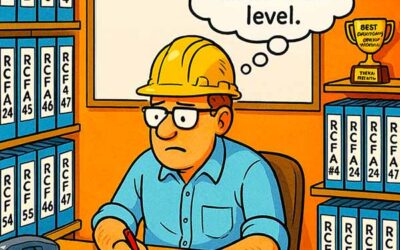


A maintenance team can spend two years and a healthy budget on a digital knowledge base and still reach for the same worn binder when a line goes down in the middle of the night. The binder holds the fixes that have been proven on the actual equipment. The database holds whatever survived the last migration.
Knowing how to build a maintenance knowledge base is less about the software and more about capturing the judgment that currently lives in a few heads and a few dog-eared pages. The goal is a place people trust enough to check first.
The distinction matters because the binder is only a symptom. The real issue is trapped knowledge, and the fix is a system that captures it, structures it, and keeps it trustworthy over time.
Why Maintenance Knowledge Lives in a Binder
The informal record earns its authority honestly. Someone curated it over years, kept the pages that worked, and quietly pulled the ones that led nowhere. Its entries were paid for in downtime, so the team believes them.
A scanned copy of that binder still misses the point. OCR can make the words in a scan searchable, but it does not capture the curation and context that made the binder useful. A photograph still cannot explain why the third step matters.
A knowledge base earns trust the same way the binder did: someone curates it, proves it on real equipment, and stands behind what it says.
This is why so many knowledge projects stall at digitizing. Copying the artifact feels like progress, yet it moves the paper without moving the knowledge. The judgment stays locked in the person who assembled the pages in the first place.
Treating the effort as a real maintenance documentation program, rather than a scanning exercise, changes the scope. The work becomes capturing decisions, failure signatures, and proven repairs in a form that someone else can act on under pressure.
What Belongs in the Knowledge Base
A useful base is built around the assets that hurt when they stop. Start with the critical few, then capture what a sharp technician would want in the middle of a bad night. Aim each entry at a decision rather than at completeness.
The content that pulls people in tends to be specific and hard-won. Generic best-practice text gets skimmed and forgotten, while an equipment-specific fix gets bookmarked. The base should lean heavily toward the second kind.
Photos and short annotations do a lot of the heavy lifting here. A picture of the correct valve lineup or the reference mark for an alignment saves a paragraph of description and removes room for guessing. Capture the visual whenever the fix depends on something you can see.
- Failure signatures for each critical asset: the symptom, the likely cause, and the fix that held.
- Equipment-specific reference values that are approved for use: torque values, clearances, alignment tolerances, and control setpoints, with the source and revision identified.
- Lessons from past investigations, written so the next person avoids the same dead end.
How to Build a Maintenance Knowledge Base People Trust
Start where the knowledge already lives, which means the people who hold it. Sit with the technician who always gets the callout for a particular machine and record how they think it through. A short interview captures more than a week of blank templates ever will.
Give troubleshooting entries the same shape so they read fast: symptom, likely cause, corrective action, and how to verify the fix. Tie each entry to the asset in the hierarchy so search returns it by equipment. Assign an owner who is responsible for keeping that entry accurate.
Knowledge moves when you capture it from the person who has it, in the moment they use it, and give it a home tied to the asset.
Done well, the base becomes the backbone of onboarding a new maintenance tech, because a new hire can read how the plant actually fails instead of guessing. The first ninety days turn into guided learning rather than trial and error on live equipment.
Momentum matters more than coverage at the start. Ten trusted entries on the worst assets will get checked, while a thousand thin ones will get ignored. Build the habit on a small, proven core, and let the library grow from real use.
Structure Beats Volume
A knowledge base succeeds or fails on whether people can find the right answer quickly. That depends heavily on structure, not just content volume. A clear taxonomy tied to the asset hierarchy does much of the quiet work.
Templates make entries consistent and search predictable. Version each entry so readers can see when it changed and who changed it. For controlled or safety-critical information, link to the current approved source rather than keeping a competing copy.
Search behavior is worth studying directly. Watch what technicians type when they look for help, then make sure those words show up in your titles and tags. The base should speak the plant’s everyday language rather than the manufacturer’s catalog terms.
- Organize entries by asset and system, mirroring the hierarchy in the CMMS.
- Use one template so every entry answers the same questions in the same order.
- Version and date each entry so readers can judge how current it is.
Keep It Current or Lose the Room
The fastest way to kill a knowledge base is to let it go stale. One wrong entry that sends a technician down the wrong path can cost the whole library its credibility. After that, people drift back to the binder and stay there.
Stale procedures are their own hazard, and a page of outdated SOPs can be worse than a blank page because it looks authoritative. A light review cadence on the critical entries keeps the base honest without turning maintenance into a second job.
A knowledge base holds its authority only as long as it stays right, so keeping it current is the real work, and the part that never ends.
Capture at the moment of the repair, while the details are fresh and the technician still remembers the trick that worked. A quick note added from the aisle beats a polished write-up that never gets written.
Make editing almost frictionless, and make the review a short, scheduled habit instead of an annual scramble. The base that gets updated in the flow of work is the one that survives its second year in service.
Ownership is the quiet ingredient that keeps entries alive. When a named person feels responsible for the accuracy of the pump section, small corrections happen on their own, and the base ages well instead of quietly rotting.
Make the Knowledge Base the Trusted Starting Point
The last step is the hardest: retire the binder by making the digital path better. The knowledge base has to be current, complete on critical assets, and faster to navigate than tabbed pages.
Give the old binder a graceful retirement instead of a sudden ban. Run the two side by side briefly, migrate the entries people actually use, and watch which one they reach for. Keep controlled procedures, drawings, setpoints, and safety-critical instructions in the approved source and link to them from the knowledge base.
When trusted maintenance know-how is easiest to find in the system, people check it first and informal copies fade. That is when the knowledge base becomes the team’s trusted starting point.