Limble vs UpKeep: Which CMMS Wins in 2026?
By the editors at Reliable. Last updated October 20, 2026.
Updated October 2026: Limble's plans are Standard, Premium+, and Enterprise with no free tier; UpKeep's Essential plan is $24 per user per month; the compliance verdict now follows what each vendor names on its own compliance page (Limble lists FDA 21 CFR Part 11, UpKeep names OSHA recordkeeping through UpKeep Safety); both vendors' current tier contents, integrations, AI features, and implementation claims re-verified; unsourced rollout timelines replaced.
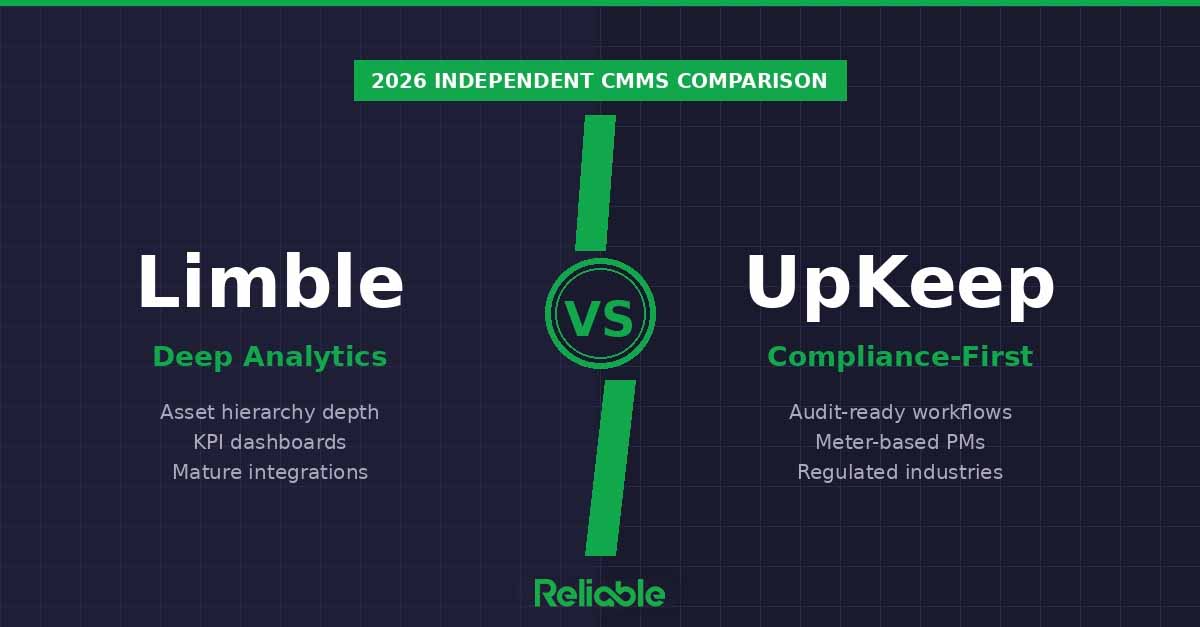
The short version: Limble and UpKeep are both mid-market CMMS platforms, and they still serve different buyers. Limble wins for reliability-engineering-driven teams: unlimited asset hierarchies and custom fields, MTBF and MTTR downtime reporting, and custom dashboards come with every plan, and a 21 CFR Part 11-validated version is available for FDA-regulated facilities.
UpKeep wins on pricing transparency, with Essential at $24 and Premium at $55 per user per month and a free trial that needs no credit card, and it puts its Nova AI assistant on every plan. Its compliance strengths are inspection checklists, audit trails, and OSHA recordkeeping through the separate UpKeep Safety product. Limble quotes every plan through a price calculator and no longer offers a free tier.
Choose Limble if reliability analytics, asset depth, or Part 11 drive your decision. Choose UpKeep if published pricing, safety inspections, and an EHS product on the same asset registry matter more.
How We Compared Limble and UpKeep
This comparison is independent editorial analysis based on publicly available product documentation, verified customer reviews across G2 and Capterra, and hands-on product demos. Reliable Magazine does not accept payment from either vendor for ranking consideration, and neither Limble nor UpKeep sponsored this article. Our goal is to help maintenance and reliability professionals choose the right platform, not to push the one that pays us the most.
We evaluated both platforms across six criteria that matter most for industrial maintenance teams:
Asset management depth: how detailed the asset hierarchy and history tracking can get
Compliance and audit-readiness: checklists, safety procedures, and documentation for regulated environments
Reporting and analytics: the quality and flexibility of dashboards and KPI tracking
Integrations: native connectivity to ERP, IoT sensors, and accounting systems
Pricing and transparency: published rates, free tiers, and total cost of ownership
Implementation and time-to-value: onboarding speed, configuration depth, and ongoing support
Reliable does not accept payment for rankings. Vendors may sponsor enhanced listings with additional detail, but editorial rankings are independent. Read our editorial policy.
What Changed in 2026
Limble's plans and leadership. Limble now sells three plans, Standard, Premium+, and Enterprise, all priced through an online calculator with no published per-user rate and no free plan. (When this comparison was first published in April 2026, Limble's pricing page described a free Basic tier.) Limble named Gary Specter chief executive in January 2026, shipped a technician-first mobile app in March 2026, and on October 1, 2026 acquired the professional services business of FM360, a facility management implementation and consulting firm, naming FM360 founder John Rimer vice president of professional services. Limble is headquartered in Lehi, Utah.
UpKeep's pricing and AI. UpKeep's Essential plan is $24 per user per month, up from the $20 this page quoted in April. Premium is $55; Professional and Enterprise are quoted. Every plan includes UpKeep's Nova AI assistant with a monthly credit allowance (250 credits on Essential, 500 on Premium, 750 on Professional, 1,000 on Enterprise). UpKeep's July 2026 releases added Nova custom apps that teams build in plain English, a rebuilt scheduler, and alert schedules for UpKeep Edge sensors; an August 7, 2026 mobile release added full offline checklist support on iOS and Android. UpKeep says more than 4,000 companies use the platform (vendor figure).
What that means for this comparison. Neither vendor offers a free plan. The compliance verdict below follows what each vendor names on its own compliance page, and the implementation section uses the vendors' own published claims in place of the week counts this page carried earlier.
Limble at a Glance
Limble has been building CMMS software since 2015, and its differentiator is depth on the asset side. Unlimited assets, unlimited asset hierarchies, and unlimited custom asset fields come with every plan, as do downtime reporting for MTBF and MTTR, custom dashboards, pre-built reports, and unlimited historical data retention. Reliability engineers and maintenance managers get MTBF, MTTR, and PM compliance visibility without buying up a tier.
The Standard plan is a single-location plan with limits that matter: three procedure-attached work orders and three advanced analytics reports per month, no offline mode, no API, and no SSO, IoT, or ERP integrations. Premium+ removes those caps and adds offline mode, meter and threshold-based scheduling, spare parts and purchase orders, time and cost tracking, an open REST API, Model Context Protocol (MCP) access, and anomaly detection. Enterprise adds multi-location tools and reporting, custom roles and approval workflows, inventory cycle counts, 21 CFR compliance, and AI scheduling suggestions. Limble's 2026 releases centered on a technician-first mobile app and AI features, including an AI-powered PM builder on every plan.
Pricing: Standard, Premium+, and Enterprise, each quoted through Limble's online price calculator. Limble publishes no per-user price and offers no free plan. SSO is an add-on on Premium+, and IoT and ERP integrations may carry additional cost.
Best for: Reliability-engineering-driven teams, multi-site operations on the Enterprise plan, FDA-regulated facilities that need a 21 CFR Part 11-validated system, and teams that want MTBF, MTTR, and custom dashboards on the entry plan.
UpKeep at a Glance
UpKeep was founded in 2014 and built its reputation on a mobile-first work order app that technicians adopt quickly. Its compliance story is inspection checklists that attach to work orders and PMs, photo evidence, timestamps and digital signatures, automatic audit trails, centralized SOPs and safety data sheets, compliance dashboards, corrective action tracking, and PDF and CSV exports. A separate product, UpKeep Safety, adds QR-code incident reporting, CAPA workflows, and automated OSHA 300, 300A, and 301 logs on the same asset registry.
The tiers matter here too. Essential ($24) covers unlimited work orders and locations, asset management, barcode scanning, data import, and Nova AI. Premium ($55) adds PM scheduling, custom checklists, meter readings, parts and inventory with costing, time and labor tracking, file uploads, and 30 days of analytics history. Professional (quoted) adds mobile offline mode, an external request portal, full analytics history, asset lifecycle tracking, and signature capture for compliance. Enterprise (quoted) adds multi-site modules, workflow automation, reliability and downtime tracking, purchase orders, API access and custom integrations, SSO and custom roles, and custom dashboards. Custom asset fields, asset downtime tracking, and warranty tracking are Enterprise features.
Pricing: $24/user/month (Essential) and $55/user/month (Premium), shown monthly with no annual rate published; Professional and Enterprise are quoted. Free trial with no credit card required; no free plan. Implementation packages are priced separately: Training Only $500, Quickstart $1,500, Advanced $5,000, Enterprise on request.
Best for: Manufacturing plants that want published pricing and a self-serve trial, compliance programs built on safety inspections and OSHA recordkeeping, teams that want an AI assistant on the entry plan, and operations planning to add EHS on the same platform.
Head-to-Head: Limble vs UpKeep
Asset Management Depth
Winner: Limble. Unlimited asset hierarchies and unlimited custom asset fields are on Limble's entry plan, with asset QR codes, warranty tracking, and MTBF and MTTR downtime reporting alongside them; bill of materials and anomaly detection start at Premium+, and asset templates, check-in and check-out, depreciation tracking, and geolocation at Enterprise. UpKeep's asset management, barcode scanning, and location management are on every plan, but custom asset fields, custom asset statuses, asset downtime tracking, depreciation, and warranty tracking are Enterprise features, and asset lifecycle tracking starts at Professional. Teams that treat asset data as the core of their reliability program get more of it, sooner, from Limble.
Compliance and Audit Readiness
Draw, split by regulator. Limble's compliance page names OSHA, ISO, MSHA, NFPA fire and electrical safety, OSHA PSM mechanical integrity programs, and FDA 21 CFR Part 11, and says a Part 11-validated version of the software is available for FDA-regulated facilities. In Limble's plans, procedures with signature capture, inspection checks, and conditional logic start at Premium+, and 21 CFR compliance is an Enterprise feature that may carry additional cost.
UpKeep's compliance page names no specific regulation for the CMMS itself. It describes digital inspection checklists for any regulation or standard, photo evidence, timestamps and digital signatures, automatic audit trails, centralized SOPs, safety data sheets, and lockout/tagout procedures, compliance dashboards, corrective action tracking, and one-click PDF and CSV exports. OSHA recordkeeping (300, 300A, and 301 forms) comes through UpKeep Safety, a separate EHS product. Checklists start at Premium and signature capture at Professional.
If your auditor asks for Part 11 electronic records, Limble names the requirement and UpKeep does not. If your compliance work is safety inspections, lockout/tagout procedures, and OSHA logs, UpKeep builds that record at a lower published price and offers an EHS product on top.
Reporting and Analytics
Winner: Limble. Custom dashboard reporting, pre-built reports, real-time insights, and MTBF and MTTR downtime reporting are on every Limble plan; the Standard plan caps advanced analytics at three reports per month, and Premium+ makes them unlimited. UpKeep's Essential plan has no drill-down reporting history, Premium keeps 30 days, and Professional opens the full history; custom dashboards, asset downtime reports, and equipment reliability reports are Enterprise features. Reliability engineers who live in dashboards get them from Limble's first tier and from UpKeep's fourth.
Integrations
Winner: Limble, narrowly. Both vendors name the same ERPs. Limble lists SAP S/4HANA, Microsoft Dynamics 365 Business Central, Oracle NetSuite, and QuickBooks Online; UpKeep lists first-party connectors for SAP, Oracle, NetSuite, and Microsoft Dynamics plus accounting sync. The difference is where the connectivity sits in the price list. Limble's open REST API and MCP access start at Premium+, IoT and ERP integrations are available from that tier at additional cost, and SSO (Okta, Azure Active Directory, Google) is a Premium+ add-on or an Enterprise feature; its integrations directory also lists Slack, Google and Microsoft 365 calendars, Samsara, Monnit, ArcGIS Online, AVEVA, RedZone, Guidewheel, and several condition monitoring partners. UpKeep's REST API, business integrations, custom integrations, and SSO are all Enterprise features; its Zapier connection, public API documentation, webhooks, and UpKeep Edge sensors are published, and UpKeep says more than 1,000 systems connect through native integrations, Zapier, and the API (vendor figure). Mid-market teams that need an API before they reach the top tier get it from Limble.
Pricing and Transparency
Winner: UpKeep. Published prices at $24 (Essential) and $55 (Premium) per user per month and a free trial without a credit card let a buyer evaluate fit before a sales call, and the implementation packages are priced too. Limble routes every plan through a price calculator and publishes no per-user figure, so total cost cannot be compared without engaging sales. Neither vendor offers a free plan. One caution on UpKeep: PM scheduling, checklists, and meter readings start at Premium, and offline mode and signature capture start at Professional, which is quoted.
Implementation and Time-to-Value
Draw. Limble says customers see value in about three weeks, with untimed onboarding, 24/7 support on every plan, a customer success manager, and bulk import of assets, PMs, vendors, parts, and tasks; full migration, data import, and partner integration services cost extra, and the October 2026 FM360 acquisition expands its professional services team. UpKeep publishes no typical rollout time; it sells implementation packages instead, from a $500 one-hour training session to a $1,500 Quickstart plan that targets standard setup, data migration, and team training within 45 days, a $5,000 Advanced package, and quoted enterprise implementation with multi-site deployment. Both are vendor claims. A team that wants to self-serve a trial will start faster with UpKeep; a team that wants guided onboarding included in the subscription gets it from Limble.
Feature Comparison Table
| Capability | Limble | UpKeep |
|---|---|---|
| Starting price | No free plan; Standard quoted | $24/user/mo (Essential) |
| Premium pricing | Premium+ and Enterprise quoted | $55/user/mo (Premium); Professional and Enterprise quoted |
| Asset hierarchy | Unlimited hierarchies and custom fields on every plan | Asset management on every plan; custom fields at Enterprise |
| Compliance and audit features | Names FDA 21 CFR Part 11, ISO, OSHA; signature capture from Premium+ | Checklists from Premium, signature capture from Professional; OSHA logs via UpKeep Safety |
| Reporting and analytics | Dashboards and MTBF/MTTR on every plan; unlimited advanced analytics from Premium+ | 30-day history on Premium, full on Professional; custom dashboards at Enterprise |
| ERP and IoT integrations | REST API and MCP from Premium+; ERP and IoT from Premium+ (extra cost) | Zapier below Enterprise; API, SSO, and ERP connectors at Enterprise |
| Meter-based PMs | From Premium+ | From Premium |
| Time-to-value | About 3 weeks to value (vendor claim); onboarding included | No typical time published; packages $500 to $5,000 |
| Best for | Reliability engineering, asset depth, FDA Part 11 | Published pricing, safety inspections, EHS on one platform |
Which One Should You Choose?
Choose Limble if:
You have a reliability engineering function that needs MTBF, MTTR, and custom dashboards from the first month
Your asset portfolio is complex: multi-site on the Enterprise plan, deep hierarchies, component-level custom fields
You need a 21 CFR Part 11-validated CMMS for an FDA-regulated facility
You need an open REST API or MCP access before the top tier
You want onboarding and 24/7 support included in the subscription
Your operation is mid-market or enterprise with budget for quoted software
Choose UpKeep if:
Published per-user pricing and a no-credit-card trial matter to your procurement process
Your compliance program is built on safety inspections, lockout/tagout and SDS documentation, and OSHA recordkeeping
You plan to run EHS (UpKeep Safety) and maintenance on one asset registry
You want an AI assistant (Nova) on the entry plan
You prefer priced implementation packages to an untimed onboarding
Your team can live within Premium until the asset-side features you need justify Enterprise
The Honest Middle Ground
Both Limble and UpKeep are good CMMS platforms, and they solve different problems. If your auditor asks for Part 11 electronic records and validation, Limble is the vendor that names the requirement. If your compliance work is safety inspections and OSHA logs, UpKeep builds that record as the work gets done and will sell you the EHS layer on top. If your reliability engineer wants MTBF trends and a custom dashboard in the first month, Limble ships them on the entry plan.
Price the plan you will actually run. On UpKeep, the asset-side depth (custom fields, downtime tracking, reliability reports) is an Enterprise feature; on Limble, the integration layer (API, IoT, ERP) is a Premium+ feature with add-on costs. Then have your compliance manager pull an audit export in UpKeep and your reliability engineer build a dashboard in Limble. Let the software make the case with your team.
Frequently Asked Questions
Is Limble or UpKeep better for asset management?
Limble. Unlimited asset hierarchies, unlimited custom asset fields, warranty tracking, and MTBF and MTTR downtime reporting are on Limble's Standard plan, with bill of materials and anomaly detection at Premium+. UpKeep's custom asset fields, asset downtime tracking, depreciation, and warranty tracking are Enterprise features, and asset lifecycle tracking starts at Professional. Teams that treat asset data as a strategic resource get more of it earlier from Limble.
Which CMMS is better for manufacturing compliance, Limble or UpKeep?
It depends on the regulation. Limble's compliance page names OSHA, ISO, MSHA, NFPA, OSHA PSM, and FDA 21 CFR Part 11, and offers a Part 11-validated version for FDA-regulated facilities (an Enterprise feature). UpKeep's compliance page names no specific regulation for the CMMS; it offers inspection checklists, audit trails, digital signatures, and SOP and SDS storage, with OSHA 300-series recordkeeping through the separate UpKeep Safety product. Pharma and medical device plants that need Part 11 should start with Limble; plants whose compliance work is safety inspections and OSHA logs can start with UpKeep at a lower published price.
Which is more affordable, Limble or UpKeep?
UpKeep publishes its prices: $24 per user per month for Essential and $55 for Premium, with Professional and Enterprise quoted and a free trial that needs no credit card. Limble quotes all three of its plans through a price calculator and publishes no per-user rate; neither vendor offers a free plan. A like-for-like comparison is Limble Premium+ against UpKeep Premium at $55, since both are the tier where meter-based scheduling, parts inventory, and time and cost tracking arrive. Limble's Premium+ also carries the API and offline mode, which UpKeep sells at Enterprise and Professional respectively.
Does Limble or UpKeep have better reporting and analytics?
Limble. Custom dashboards, pre-built reports, and MTBF and MTTR downtime reporting are on every Limble plan, and advanced analytics become unlimited at Premium+. UpKeep's drill-down history runs 30 days on Premium and full on Professional; custom dashboards, asset downtime reports, and equipment reliability reports are Enterprise features. UpKeep's compliance dashboards (compliance rates, overdue inspections, open corrective actions) are the exception that favors UpKeep for safety-driven KPIs.
Which CMMS is easier to implement, Limble or UpKeep?
Both vendors describe fast starts, in their own words. Limble says customers see value in about three weeks, with untimed onboarding and 24/7 support included on every plan and migration services available for a fee. UpKeep publishes no typical rollout time and sells implementation packages from $500 to $5,000, with its $1,500 Quickstart plan targeting setup, data migration, and training within 45 days. A self-serve trial starts faster on UpKeep; guided onboarding is included on Limble.
Can I migrate from Limble to UpKeep or vice versa?
Yes, with friction. Limble supports bulk import of assets, PMs, vendors, parts, and tasks and sells full migration services for a fee; UpKeep includes data importing on every plan, and its paid implementation packages cover data mapping, cleaning, and migration of asset records, inventory, and work orders. Custom fields, work order history, asset hierarchies, and PM schedules rarely transfer cleanly between any two systems, so plan for a period of parallel operation and a data cleanup. The better move is a thorough evaluation with your own use cases before committing to either.
Related Guides
Sources
Limble: ; Pricing; Audits & Compliance; Integrations; Implementation
Limble: ; Limble Acquires FM360's Professional Services Business, Names Founder John Rimer VP of Professional Services; press release, October 1, 2026 (Manufacturing Dive)
UpKeep: ; Pricing; Safety & Compliance; Integrations
UpKeep: ; Product release, July 10, 2026 (Nova Custom Apps, Scheduler overhaul); Product release, August 7, 2026 (offline checklists on iOS and Android)
Last updated: October 20, 2026. This comparison is editorial analysis by Reliable Magazine. Neither Limble nor UpKeep paid for ranking consideration or editorial input.